Forum Discussion


ledcomp
Oct 20, 2015Explorer
landyacht318 wrote:
My alternator has two field wires. one is a light blue wire that called the Z1 circuit, and the other is a green wire which runs directly to my engine computer. The haynes or chiltons manuals are nearly worthless for electrical diagrams. Goto Ebay motors and get a real factory service manual for your specific year.
I agree that the chilton and haynes manuals suck. I did get a factory Dodge manual. It has all the info, but there is no easy way to follow a circuit with a few branches. Most other schematics will say "see page X" this one shows a splice and you need to cross ref the splice, figure out where they go and then find the diagrams.
landyacht318 wrote:
My PCM costs about the same, I've been meaning to get a backup or have my original rebuilt. I had to resolder the 14 pin connector in January as it had a bunch of broken solder contacts. One of these was the alternator field wire connector pin. Another fed 9v to the other circuit board, and the two other broken solder joints were for the fuel injectors.
Man that was fun stalling randomly and having to wiggle the connectors and zip tie them just so, so I could drive around on both injectors, and also charge.
Now that makes me suspect the PCM even more. Sometimes it runs great and sometimes it runs good.
landyacht318 wrote:
Really if all that is required to fool the ECM, not let the smoke out and be able to employ a manually adjustable voltage regulator, is this device:
Well I am all over it, soon as finances allow.
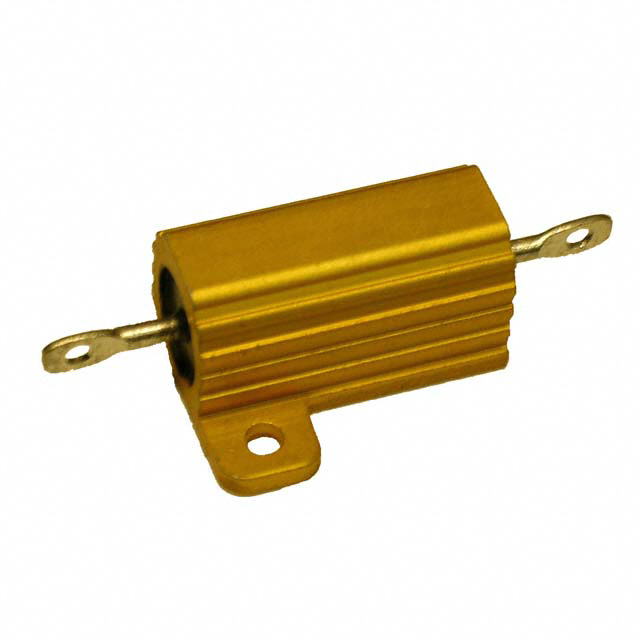
Let me know if you find the value of the resistor and where to connect it.
landyacht318 wrote:
LEDcomp, you have a wiring issue somewhere. The adjustable regulator will likely not solve your issue, especially if you do not have and DTC stored in your computer related to the alternator.
I never had a charging code or pending code on it.
Here is one trick, more info from Mex I empoyed later than i should have.
landyacht318 wrote:
Caig Deoxit d5 spray. Disconnect battery, Disconnect ECM/PCM connectors, Flush out all old dielectric grease with regular electronics cleeaner. then spray with the D5. wait a while and wipe pins and sockets of connectors with precision swabs:
http://www.amazon.com/Tamiya-Craft-Cotton-Xsmall-TAM87103/dp/B0026IBC2O/ref=sr_1_fkmr0_2?ie=UTF8&qid=1445395082&sr=8-2-fkmr0&keywords=tamiya+precision+swabs
Despite thier slathering in dielectric grease, the pins and sockets will shred the precision swabs turning them black, and progressively less so until they remain unshredded and pink with the Deoxit.
I was astounded how much oxidation was removed after I had declared the contacts pristing after blasting a whole can of CRC QED cleaner through the connectors.
Later on i cleaned every sensor connector, every connector everywhere. Felt like I took 750 Lbs of weight out of the van next time I drove it, and MPGS I lost and thought was due to taller heavier tires installed, returned.
Magic electrical juice. After the application of d5 or d100 to remove oxidation from electrical contact surfaces, I applied Deoxit gold or Deoxit shield to protect them. I smushed dielectric grease into the already reseated connectors, but I did not pack the connectors together with dielectric grease then reseat them as is the common practice.
Deoxit is great stuff, I need more D5 but I do have shield. Im a little concerned about removing the 3 PCM connectors. Other connectors have been brittle. Did the PCM connectors give you any problems? I guess I need to pull them to do a PCM swap anyway.
LandY - Sorry for kind of hi-jacking your thread. I can start a new thread if you like. I just figured we are both trying to make these Dodge charging systems work. Let me know and again thanks for the help.
Or maybe I shouldn't thank you, this project was on the back burner but now it looks like I need to get it out of storage and revisit this again. :)
That engine cover and the captain seats are a bear in that van.
About Technical Issues
Having RV issues? Connect with others who have been in your shoes.24,363 PostsLatest Activity: Mar 05, 2026


