Forum Discussion


cannesdo
Aug 17, 2014Explorer
Ok, as promised -- photos! I reversed the brushes and still no action so I pulled the panel from below and traced the power coming into the fan and found the spot when it I no longer get any reaction from the multi-meter (I'm getting good with this thing -- offered to trouble-shoot the neighbor's bathroom fan but they know I killed mine so I think they're a little bit afraid of me.
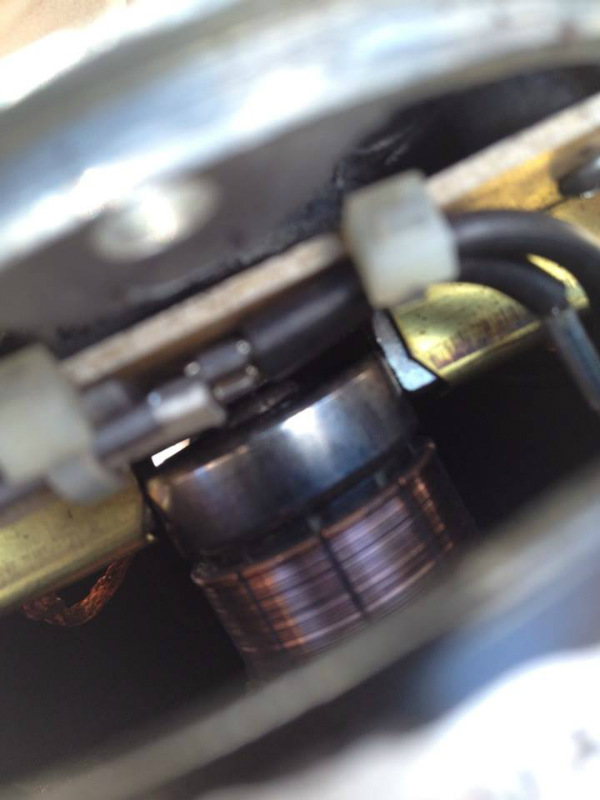
Here is a peek inside the lid of the motor that shows the correct position of the brushes against the center thingy (has a name, starts with a 'c' -- I forget). When you lift the lid they come clear of the 'c' thing and come together as they are spring loaded. If you ever pull the cap off (don't recommend it, that's how I got into this mess in the first place) make sure you notice how the brushes are placed in their housing (which end the wire is on) as they like to pop out completely.
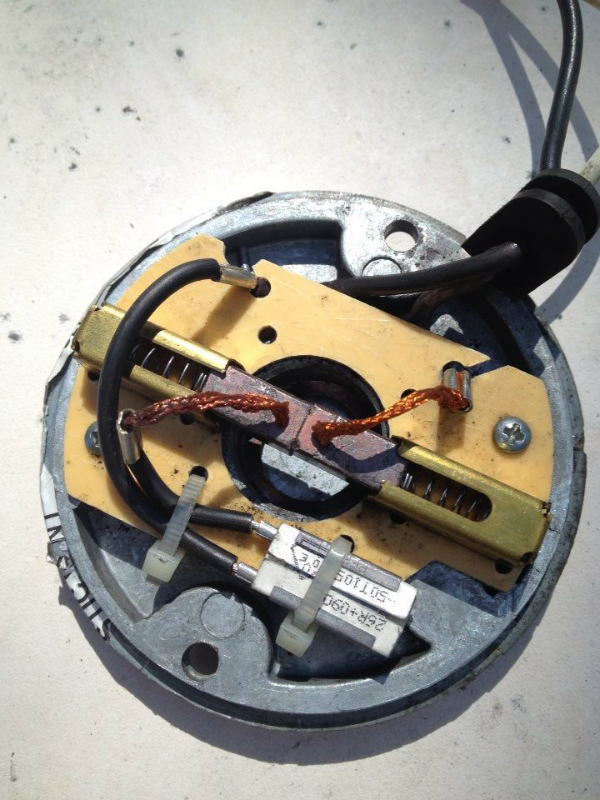
When the cap is removed, this is what you see -- the brushes have come together:
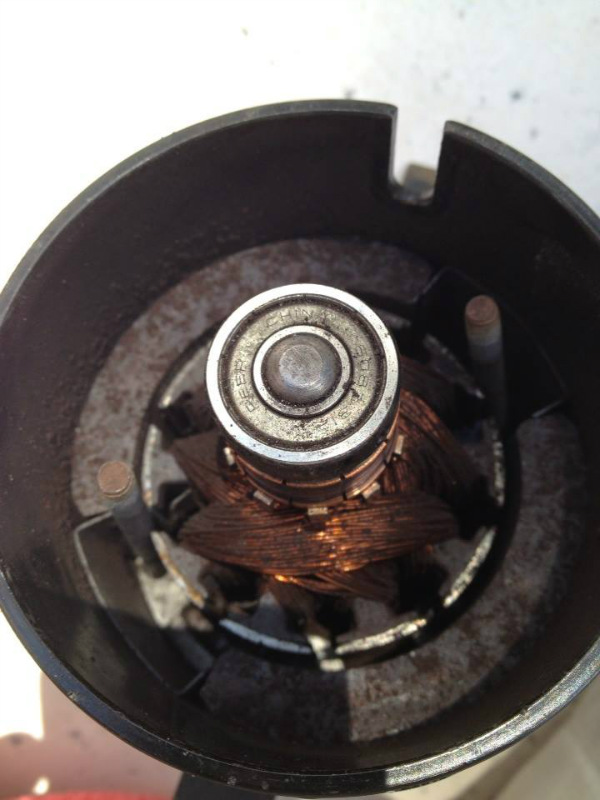
Here is a view of the motor itself. When you replace the cap you have to pull apart the brushes with your thumbs and slowly slide them towards yourself while catching the back corner on the center 'c' thing. Very tricky. This fan is from a 2001 rig. I don't think it's been changed out. Yours may look a bit different but...same general idea. I don't know yet which position the brushes need to be in -- if the wires should be toward the center or toward the outside, or one of each. ?(Future poster says they should be the reverse of this and should be riding on the copper just below where they are pictured -- thank you!)
Now, the underside. I followed the power in from a few inches to the left of the right hand corner of this photo -- you can see them in a knot there. From there they go to the speed knob which is on the lower left in this photo. Everything checked out there. Branches off to the fuse. That checks out.
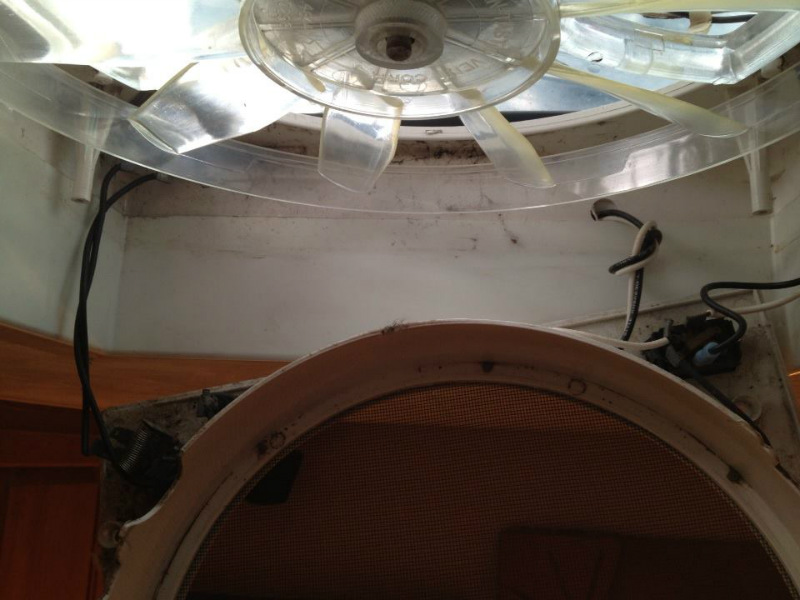
From there it goes up to the little circuit in the upper left corner. Ok going in. *Not* ok coming out.
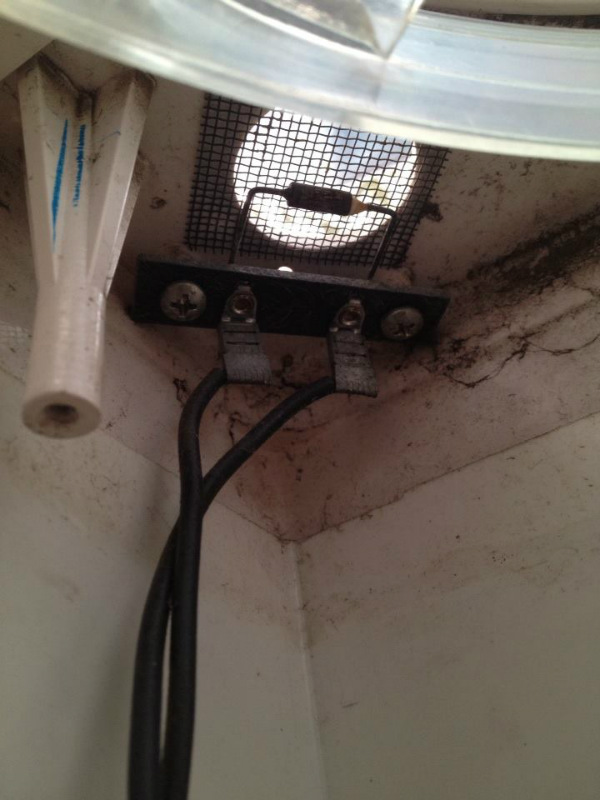
So, I think this is the problem. (And from there it goes back over to the in/out/off switch, so that's not getting juice.) So I think it's the circuit that got blown when I let those brushes collide (or who knows when). What is that little mesh opening for -- is that a rain sensor? I don't have a rain sensor on my fans -- I have to close them manually. ?
Can I get this circuit at a hardward store? Ours has a Radio Shack section.
I'll update when I find out more. I couldn't find any photos on line of the inside of the motor so I thought I'd put these up in case anyone else every got carried away and dismanted the thing like I did (If you did, please sign your name below so I don't feel like the only fan-maming idiot.
Here is a peek inside the lid of the motor that shows the correct position of the brushes against the center thingy (has a name, starts with a 'c' -- I forget). When you lift the lid they come clear of the 'c' thing and come together as they are spring loaded. If you ever pull the cap off (don't recommend it, that's how I got into this mess in the first place) make sure you notice how the brushes are placed in their housing (which end the wire is on) as they like to pop out completely.
When the cap is removed, this is what you see -- the brushes have come together:
Here is a view of the motor itself. When you replace the cap you have to pull apart the brushes with your thumbs and slowly slide them towards yourself while catching the back corner on the center 'c' thing. Very tricky. This fan is from a 2001 rig. I don't think it's been changed out. Yours may look a bit different but...same general idea. I don't know yet which position the brushes need to be in -- if the wires should be toward the center or toward the outside, or one of each. ?(Future poster says they should be the reverse of this and should be riding on the copper just below where they are pictured -- thank you!)
Now, the underside. I followed the power in from a few inches to the left of the right hand corner of this photo -- you can see them in a knot there. From there they go to the speed knob which is on the lower left in this photo. Everything checked out there. Branches off to the fuse. That checks out.
From there it goes up to the little circuit in the upper left corner. Ok going in. *Not* ok coming out.
So, I think this is the problem. (And from there it goes back over to the in/out/off switch, so that's not getting juice.) So I think it's the circuit that got blown when I let those brushes collide (or who knows when). What is that little mesh opening for -- is that a rain sensor? I don't have a rain sensor on my fans -- I have to close them manually. ?
Can I get this circuit at a hardward store? Ours has a Radio Shack section.
I'll update when I find out more. I couldn't find any photos on line of the inside of the motor so I thought I'd put these up in case anyone else every got carried away and dismanted the thing like I did (If you did, please sign your name below so I don't feel like the only fan-maming idiot.
About Technical Issues
Having RV issues? Connect with others who have been in your shoes.24,369 PostsLatest Activity: Jan 12, 2018


